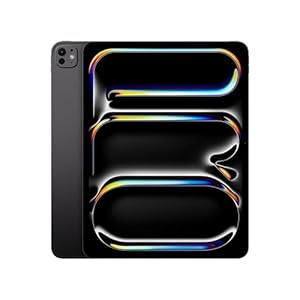

Thinking about upgrading your tech gear with the latest Apple iPad Pro 13 (2025)? You’re in the right place.
This review breaks down everything you need to know—from the powerful M5 chip inside to how it handles real-world tasks. We’ll look closely at its design, performance, and whether it truly lives up to the “Pro” name. If you want to find out if this sleek device fits your needs, saves you money, and boosts your productivity, keep reading.
By the end, you’ll have a clear picture to decide if the new iPad Pro 13 is your next must-have gadget.
Design And Build
The design and build of the Apple iPad Pro 13 (2025) show a blend of style and strength. Apple keeps its focus on sleek looks and solid construction. This model feels premium in hand and fits modern user needs well.
Every detail in the design aims for both beauty and function. The device balances lightness with durability. It looks simple but is carefully crafted to last long.
Physical Dimensions
The iPad Pro 13 measures 11.97 inches tall and 8.46 inches wide. It has a thickness of just 0.23 inches. This size offers a large display while staying easy to hold. The screen size helps with work and entertainment alike. Despite being big, it does not feel bulky or hard to manage.
Materials And Finish
The body uses a strong aluminum frame that resists scratches and dents. The back has a smooth matte finish that feels soft to touch. Edges are rounded for comfort during long use. The glass front is tough, with a coating that reduces fingerprints. Colors stay subtle and elegant, fitting professional and casual styles.
Portability
Weighing just 1.5 pounds, the iPad Pro 13 is easy to carry. It fits well in backpacks and larger bags. This makes it suitable for travel and daily use. The slim profile slips into cases without extra bulk. Users can move from place to place without feeling weighed down.
Display Features
The Apple iPad Pro 13 (2025) offers a display designed to impress users with clear visuals and smooth performance. Its screen features enhance productivity and media enjoyment. The display is crafted for both work and play, ensuring vibrant images and responsive touch.
Screen Size And Resolution
The iPad Pro 13 sports a 13-inch screen. This size balances large viewing space with portability. Its resolution is 2732 by 2048 pixels. This high pixel count makes text sharp and images detailed. Users can see fine details without zooming in. The large screen suits creative tasks and reading.
Brightness And Color Accuracy
This iPad Pro reaches brightness levels up to 1000 nits. This brightness helps in bright rooms and outdoors. Colors appear vivid and true to life. The display supports P3 wide color, which covers many colors the human eye can see. This feature benefits photographers and designers. The screen also uses True Tone to adjust colors based on ambient light. This reduces eye strain and keeps colors natural.
Promotion And Refresh Rate
The iPad Pro 13 features ProMotion technology. It offers a refresh rate up to 120Hz. This means the screen updates 120 times per second. The result is smooth scrolling, fast response, and better drawing experience. The refresh rate adjusts automatically to save battery. This technology makes using the iPad feel fluid and natural.
Performance And Hardware
The Apple iPad Pro 13 (2025) offers a blend of powerful hardware and efficient performance. This model targets users who need speed and smooth operation for work and creativity. The device’s hardware upgrades bring noticeable improvements in daily tasks and professional apps.
M5 Chip Capabilities
The iPad Pro 13 features the new M5 chip. It is faster than the previous generation. The chip handles multiple apps without lag. It improves graphics performance for games and design tools. The M5 also uses less power while working hard. This chip makes the iPad suitable for complex tasks like 3D modeling and video editing. Users will notice quick app launches and smooth multitasking.
Ai Enhancements
Apple includes new AI features in this iPad model. The AI helps with photo editing and voice recognition. It improves handwriting and text prediction. The device learns user habits to speed up tasks. AI also supports better camera processing and augmented reality apps. These upgrades make the iPad feel smarter and more responsive. The AI tools assist both casual users and professionals.
Battery Life
The iPad Pro 13 keeps a strong battery life despite its power. It lasts up to 12 hours on a single charge. This is enough for a full day of work or entertainment. The M5 chip’s efficiency helps extend battery time. Fast charging is supported for quick top-ups. Users can rely on the iPad for long trips or heavy use without constant recharging.
Software And User Experience
The Apple iPad Pro 13 (2025) delivers a smooth and responsive software experience. Its operating system, iPadOS, is designed to maximize touch and pen input. The interface feels clean and intuitive for daily tasks and creative work. Users enjoy quick app launches and fluid animations that enhance usability.
Despite hardware power, software shapes how users interact with the device. The iPadOS environment supports a range of apps tailored for productivity, creativity, and entertainment. Still, the user experience depends heavily on software capabilities and limitations.
Ipados Features
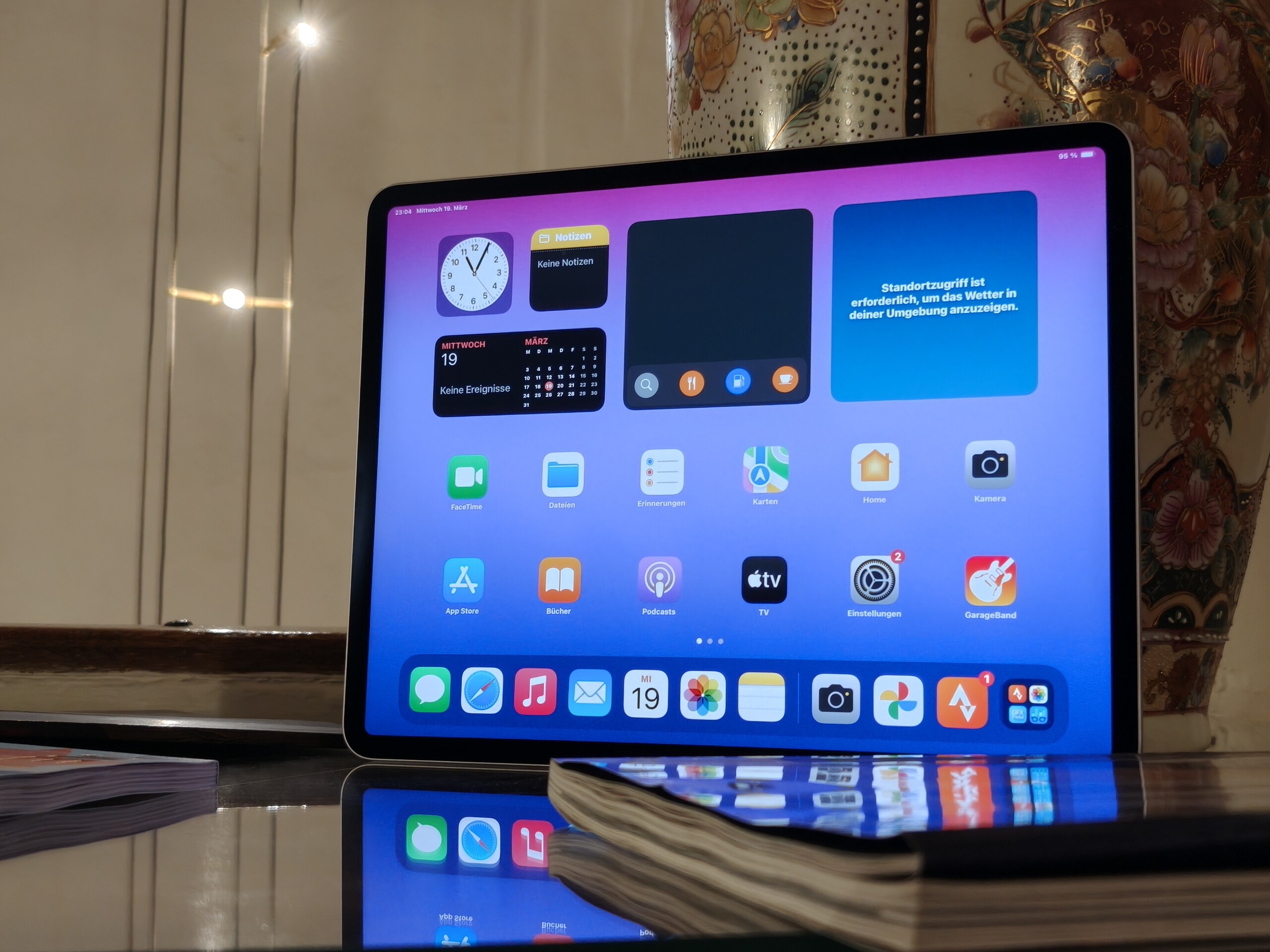
iPadOS offers improved widgets, a customizable home screen, and better Apple Pencil support. The new stage manager allows easier window resizing and app switching. Focus modes reduce distractions during work or play. Updates bring enhanced gesture controls and quick note-taking options. These features help users stay organized and efficient.
Multitasking And File Management
Multitasking has improved with split view and slide over modes. Users can run two or three apps side by side. Drag and drop between apps works smoothly for text and images. The Files app supports external drives and cloud storage syncing. Yet, file management still feels less flexible than on a laptop. Complex folder structures and bulk file operations remain limited.
Professional Workflow Limitations
The iPad Pro 13 faces hurdles with some professional tasks. Advanced video editing and 3D design apps run well but lack full desktop features. External drive handling can be unstable for large projects. Multitasking limits affect workflows needing many open apps. Some users find it hard to replace a traditional laptop fully. Software gaps may slow down professionals relying on heavy multitasking and complex file operations.
Accessories And Ergonomics
The Apple iPad Pro 13 (2025) delivers a powerful tablet experience. Accessories and ergonomics play key roles in daily use. Choosing the right add-ons affects comfort and productivity. This section explores the Magic Keyboard, Apple Pencil, and typing comfort.
Magic Keyboard Design And Costs
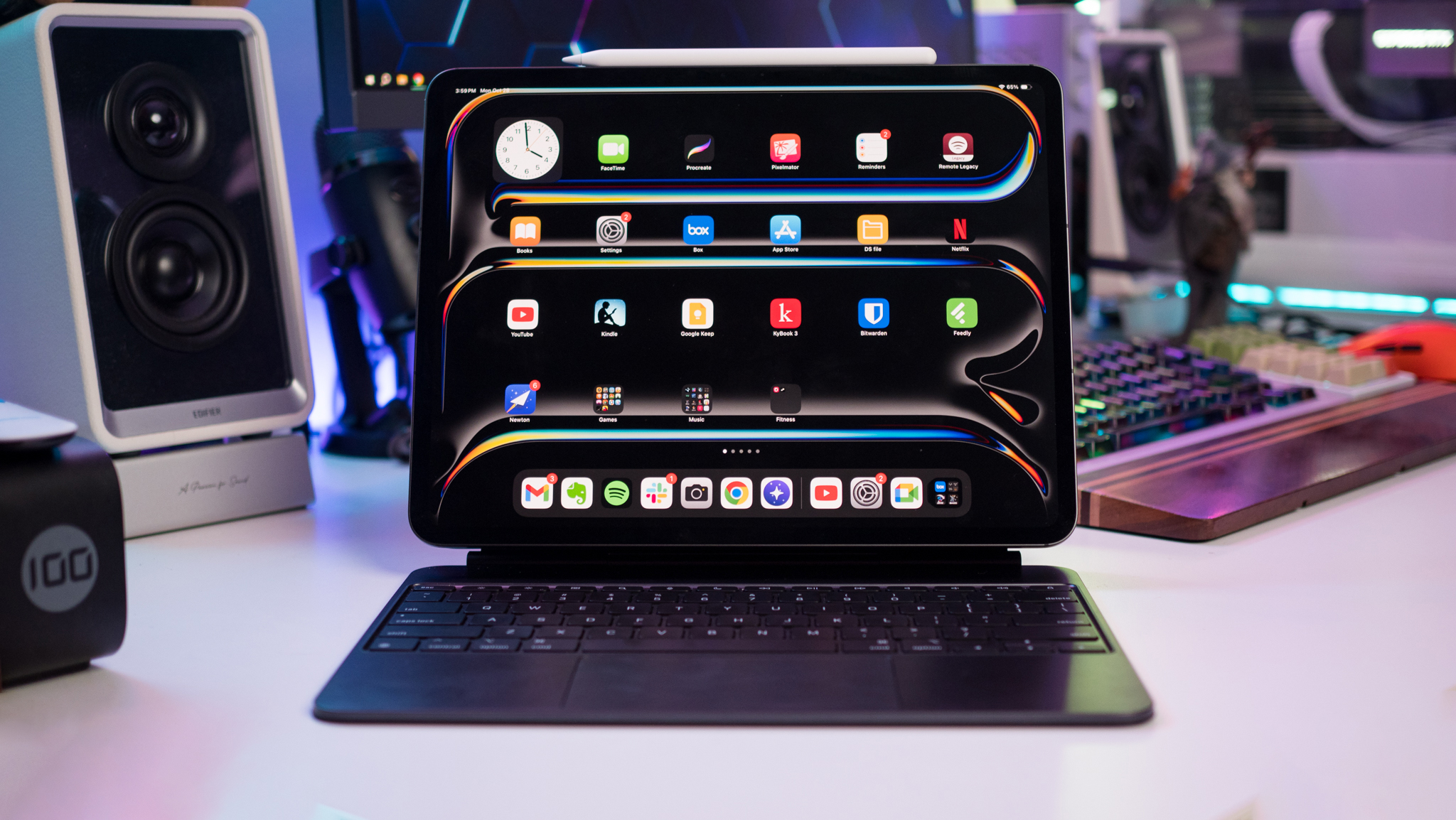
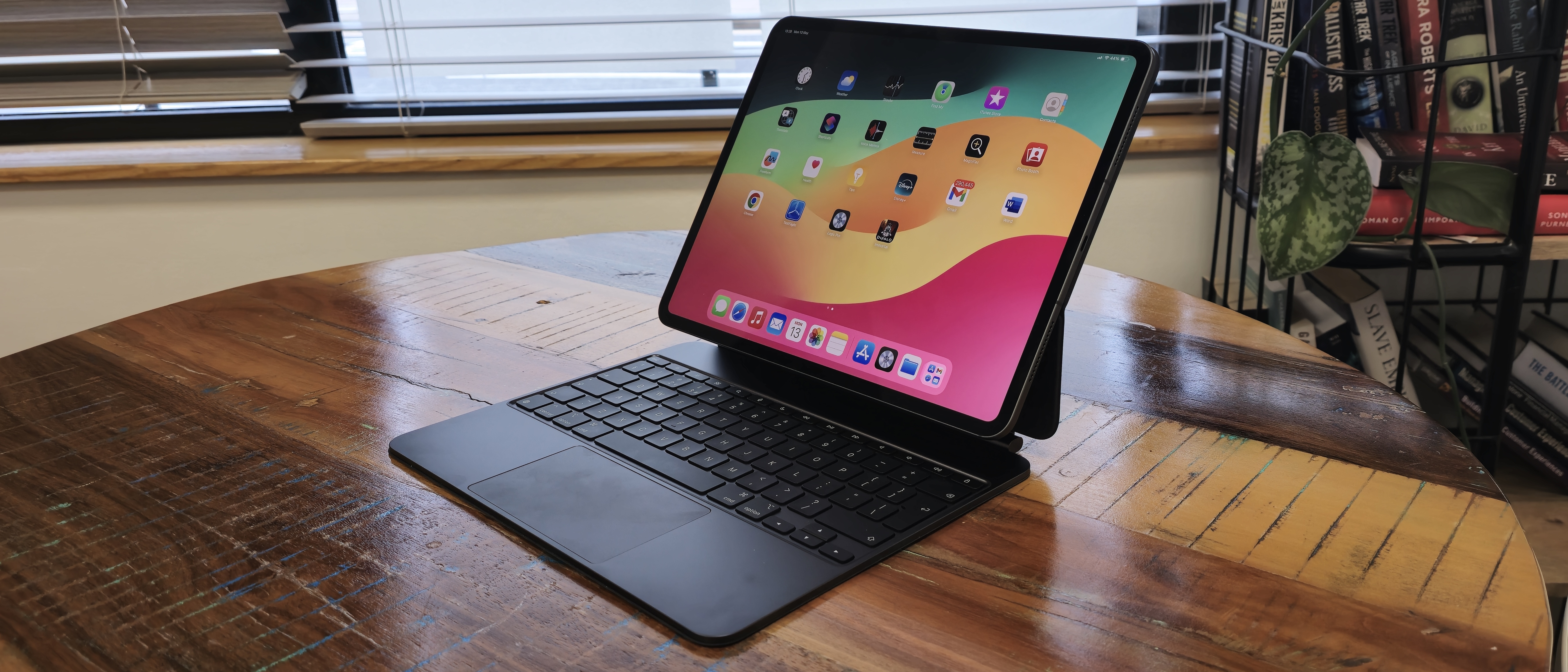
The Magic Keyboard fits the iPad Pro 13 well. It features a floating cantilever design that holds the tablet securely. The keys have good travel and backlighting for low-light use. The trackpad adds laptop-like control, useful for precision tasks.
The price is high, which may deter some users. It adds significant weight and bulk to the setup. Also, the keyboard can be top-heavy, causing instability on laps. The case design limits flat use for drawing or note-taking on a table.
Apple Pencil Compatibility
The iPad Pro 13 supports the latest Apple Pencil. It offers low latency and pressure sensitivity. This makes it ideal for sketching, note-taking, and detailed work. Magnetically attaching and charging the Pencil is simple and convenient.
The Pencil enhances creativity and precision. It feels natural to hold and use. The iPad’s screen works well with the Pencil for smooth strokes and shading.
Typing Comfort And Lap Use
Typing on the Magic Keyboard is comfortable for extended sessions. The key spacing and feedback are satisfying. Yet, using the iPad Pro 13 on your lap can be tricky. The keyboard’s weight and angle can cause wobbling.
Without the Magic Keyboard, on-screen typing works fine but is slower. External keyboards offer alternatives but may lack the integration of Apple’s own. Consider your typical work environment before choosing an accessory.
Credit: www.notebookcheck.net
Price And Value
The Apple iPad Pro 13 (2025) offers impressive features but comes with a significant price tag. Understanding its cost helps buyers decide if the device fits their budget and needs. This section breaks down the price and value, focusing on base price, accessories, and device comparisons.
Base Price Analysis
The starting price of the iPad Pro 13 (2025) is higher than many tablets. It begins at $1,099 for the base model with 128GB storage. This price reflects the advanced M5 chip and high-resolution display. The device targets professionals and creatives who need powerful performance. For casual users, the cost might feel steep for a tablet.
Cost Of Essential Accessories
Essential accessories add to the overall cost. The Apple Pencil costs around $129, essential for artists and note-takers. The Magic Keyboard is priced at $349, offering a laptop-like typing experience. These accessories enhance productivity but increase the total investment. Buyers should consider these costs when budgeting for the iPad Pro.
Comparison With Other Devices
Compared to other tablets, the iPad Pro 13 (2025) is among the most expensive. Android tablets with similar specs often cost less. Some laptops provide more software flexibility at a similar price. The iPad excels in portability and display quality. Buyers must weigh these factors to find the best value.
Use Cases
The Apple iPad Pro 13 (2025) offers a wide range of uses for different users. Its power and portability suit many tasks. The device adapts well to creative work, daily tasks, and even replacing a laptop for some. Below are key use cases that highlight its versatility and performance.
Creative Work And Productivity
The iPad Pro 13 shines in creative fields. Artists can draw and design using the Apple Pencil with great precision. Photo and video editing apps run smoothly, thanks to the powerful M5 chip. Writers and professionals benefit from the fast keyboard response. Multitasking lets users switch between apps without lag. The high-resolution display shows vibrant colors for detailed work. Overall, it supports creative and productive tasks effectively.
Casual And On-the-go Use
This iPad is perfect for casual users. It handles web browsing, video streaming, and social media with ease. Its light weight makes it easy to carry anywhere. Battery life lasts through a day of normal use. Touch controls and Face ID offer quick access. The device also works well for reading books and watching movies. It fits well into daily routines and travel.
Laptop Replacement Potential
The iPad Pro 13 can replace a laptop for many users. It supports a full keyboard and trackpad for better typing and navigation. Office apps and email clients run smoothly for work tasks. Some software limitations exist, but many find it enough for their needs. Its slim design beats many laptops in portability. For those who do not need heavy software, it is a solid alternative.
Credit: www.androidcentral.com
Pros And Cons
Evaluating the pros and cons of the Apple iPad Pro 13 (2025) helps buyers decide if it fits their needs. This section breaks down the device’s main strengths and drawbacks. Understanding these points provides a clear picture of what to expect.
Key Strengths
- Powerful M5 chip delivers smooth and fast performance.
- Bright, sharp 13-inch display enhances viewing and drawing.
- iPadOS offers a clean, user-friendly interface with useful apps.
- Lightweight design makes it easy to carry around.
- Excellent battery life supports long hours of work or play.
- Supports Apple Pencil for precise creative tasks.
Main Drawbacks
- High price can be a barrier for many users.
- Software limits some professional tasks compared to laptops.
- Multitasking and file management still feel basic.
- Magic Keyboard is costly and may tip when used on a lap.
- Typing experience on external keyboards can be cramped.
- Large size might reduce portability for some users.
Credit: www.techradar.com
Conclusion
The Apple iPad Pro 13 (2025) offers strong performance and a sleek design. Its powerful M5 chip handles most tasks smoothly. The screen is bright and clear, great for media and work. Some users may find multitasking and professional software limits challenging.
Accessories add cost and can affect comfort. Portability suits many but may feel large for some. Overall, it fits well for those wanting a high-end tablet experience. Consider your needs carefully before deciding. The iPad Pro stands out but isn’t perfect for everyone.
Trending Products