
Looking for a tablet that blends power, style, and portability? The Apple iPad Air 13 (2024) might just be the upgrade your tech setup needs.
Whether you want to boost your productivity, enjoy stunning visuals, or simply have a reliable device for everyday tasks, this new iPad Air promises to deliver. In this review, you’ll discover what makes the 2024 model stand out, how it feels in your hands, and whether it’s truly worth your investment.
Keep reading to find out if this is the tablet designed just for you.
Design And Build
The Apple iPad Air 13 (2024) offers a fresh design that combines style with durability. Its build feels solid yet light, perfect for daily use. Every element shows Apple’s attention to detail and quality.
Size And Weight
The iPad Air 13 has a large 13-inch screen, ideal for work and play. Despite the big display, it remains slim and easy to hold. It weighs around 1.02 pounds, making it lighter than many laptops.
Materials And Finish
Apple uses aluminum for the body, giving the tablet strength and a premium feel. The finish is smooth, with a matte texture that resists fingerprints. The edges are rounded for comfort during long use.
Color Options
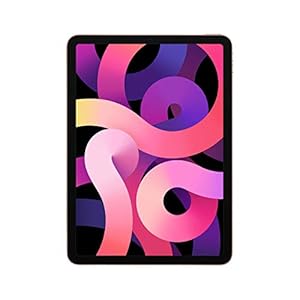
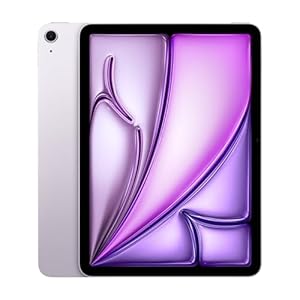
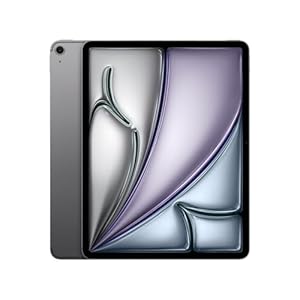
The iPad Air 13 comes in several colors to suit different tastes. Choices include classic Silver, Space Gray, and a new Blue shade. Each color is subtle and elegant, matching Apple’s modern style.
Display Quality
The Apple iPad Air 13 (2024) offers a display that stands out in its category. The screen delivers sharp visuals and clear images. Whether watching videos or reading text, the display quality enhances the user experience. Here is a closer look at its key display features.
Screen Size And Resolution
The iPad Air 13 features a large 13-inch screen. This size is perfect for productivity and entertainment. It offers a resolution of 2732 x 2048 pixels. This high resolution ensures crisp images and detailed visuals. Text appears sharp, making reading easy on the eyes.
Brightness And Color Accuracy
The display reaches up to 500 nits of brightness. This level works well even in bright rooms or outdoors. Colors look natural and vibrant. The screen covers the P3 wide color gamut. This means photos and videos show rich and true-to-life colors. The display also supports True Tone technology, adjusting color temperature to ambient light.
Touch And Pencil Support
The iPad Air 13 supports the Apple Pencil (2nd generation). This offers smooth and precise drawing or note-taking. The touch response is quick and accurate. It feels natural to use fingers or the Pencil on the screen. This support makes the iPad Air 13 suitable for artists, students, and professionals alike.
Performance
The Apple iPad Air 13 (2024) delivers impressive performance for everyday use and demanding tasks. It balances power and efficiency, making it suitable for students, professionals, and casual users alike. The device handles apps smoothly and responds quickly to commands. Multitasking and media consumption feel fluid and enjoyable.
Processor And Chipset
The iPad Air 13 features the latest Apple M2 chip. This chipset offers faster processing speeds and better graphics performance. It supports complex apps and creative software without lag. The M2 chip improves overall responsiveness and energy efficiency. Users get a smooth experience whether browsing, gaming, or editing videos.
Ram And Storage Options
This model comes with 8GB or 16GB of RAM. The higher RAM option benefits those running many apps at once. Storage choices range from 128GB to 1TB. This allows users to pick the right size for their files and apps. Fast storage speeds help load apps quickly and save large projects without delay.
Battery Life
The iPad Air 13 offers strong battery life for a full day of use. It lasts up to 10 hours on a single charge. This supports long study sessions, work, or entertainment without frequent recharging. Battery efficiency is improved by the M2 chip, managing power smartly to extend use time. Charging is quick, minimizing downtime between uses.
Camera Features
The Apple iPad Air 13 (2024) offers solid camera features for everyday use. Its cameras deliver clear photos and smooth video. These features suit video calls, casual photography, and creative projects. Let’s explore the details of the rear and front cameras and video recording capabilities.
Rear Camera Specs
The rear camera has a 12MP sensor. It captures sharp images with natural colors. The lens supports autofocus for clear shots. It also includes Smart HDR for balanced lighting. This camera works well in bright and low light. It handles everyday photos and document scanning easily.
Front Camera Quality
The front camera is 12MP too. It offers good image quality for selfies and calls. The wide-angle lens fits more people in one frame. It supports Center Stage, which keeps you in view during video chats. This camera is ideal for FaceTime and virtual meetings.
Video Recording
The iPad Air 13 records video at 4K resolution. It supports 60 frames per second for smooth motion. The rear camera offers cinematic video quality. The front camera records in 1080p HD, perfect for video calls. Both cameras include video stabilization to reduce shake.
Software And User Experience
The Apple iPad Air 13 (2024) offers a smooth and intuitive software experience. Its system is designed to be easy for all users. The interface feels natural and responds quickly. This makes daily tasks and entertainment enjoyable. The blend of hardware and software creates a seamless user experience.
Operating System
The iPad Air 13 runs on the latest iPadOS version. It brings new features and improved security. The system is optimized for the larger screen. Touch and gesture controls work without delay. Regular updates ensure the device stays current and safe. This OS supports a wide range of apps and accessories.
Pre-installed Apps
Apple includes useful apps right out of the box. These apps cover productivity, creativity, and entertainment. Notes, Safari, and Mail help with daily tasks. Photos and Music offer easy media access. The Files app keeps documents organized. These pre-installed apps work smoothly with the iPad Air 13’s hardware.
Multitasking Capabilities
The iPad Air 13 supports advanced multitasking features. Split View allows running two apps side by side. Slide Over lets users open a third app in a floating window. Drag and drop between apps works effortlessly. These features boost productivity and ease of use. Switching between tasks feels natural and quick.
Connectivity
The Apple iPad Air 13 (2024) offers solid connectivity features. It keeps you connected for work, study, and play. Fast internet and device pairing are easy and reliable.
Connectivity matters for a tablet’s performance. It shapes your experience whether at home or on the go. The iPad Air 13 supports various wireless and wired options to fit your needs.
Wi-fi And Cellular Options
The iPad Air 13 supports Wi-Fi 6E for faster and stable internet. This technology reduces lag and improves streaming quality. It also offers optional 5G cellular models. You can stay online even without Wi-Fi networks. The cellular connection is quick and covers many areas.
Bluetooth And Accessories
Bluetooth 5.3 is included for smooth pairing with devices. It connects easily to headphones, speakers, and keyboards. The iPad Air 13 works well with Apple Pencil and Magic Keyboard. These accessories enhance productivity and creativity. Connection is stable and energy-efficient.
Ports And Expansion
The tablet has a USB-C port for charging and data transfer. It supports fast file sharing and external devices. You can connect cameras, drives, or displays with adapters. The single port keeps the design slim and simple. No extra ports, but good support for accessories.
Audio And Speakers
The Apple iPad Air 13 (2024) offers a solid audio experience. Its sound system is designed for clear and rich audio output. Whether you watch videos, listen to music, or join a call, the audio quality holds up well. The speakers and microphones work together to enhance sound clarity. This section breaks down the iPad Air 13’s audio features.
Speaker Quality
The iPad Air 13 features stereo speakers. They deliver balanced sound with good volume levels. Treble and bass are clear and distinct. The speakers create a wide sound stage for an immersive experience. Sound does not distort even at higher volumes. This makes it great for watching movies or playing games.
Microphone Performance
This iPad comes with multiple microphones. They capture voice clearly and reduce background noise. Calls and voice recordings sound natural and crisp. The microphone system supports voice commands effectively. It works well in both quiet and moderately noisy environments.
Headphone Support
The iPad Air 13 supports wired and wireless headphones. It offers high-quality audio output through the headphone jack or Bluetooth. Users can enjoy clear sound with minimal latency. Wireless headphone pairing is quick and stable. This flexibility suits different listening preferences and needs.
Credit: www.techradar.com
Accessories Compatibility
The Apple iPad Air 13 (2024) works well with many accessories. These add convenience and boost productivity. Choosing the right accessories improves your overall experience. Compatibility with popular Apple and third-party accessories makes it versatile. This section highlights key accessory options for the iPad Air 13.
Keyboard And Case Options
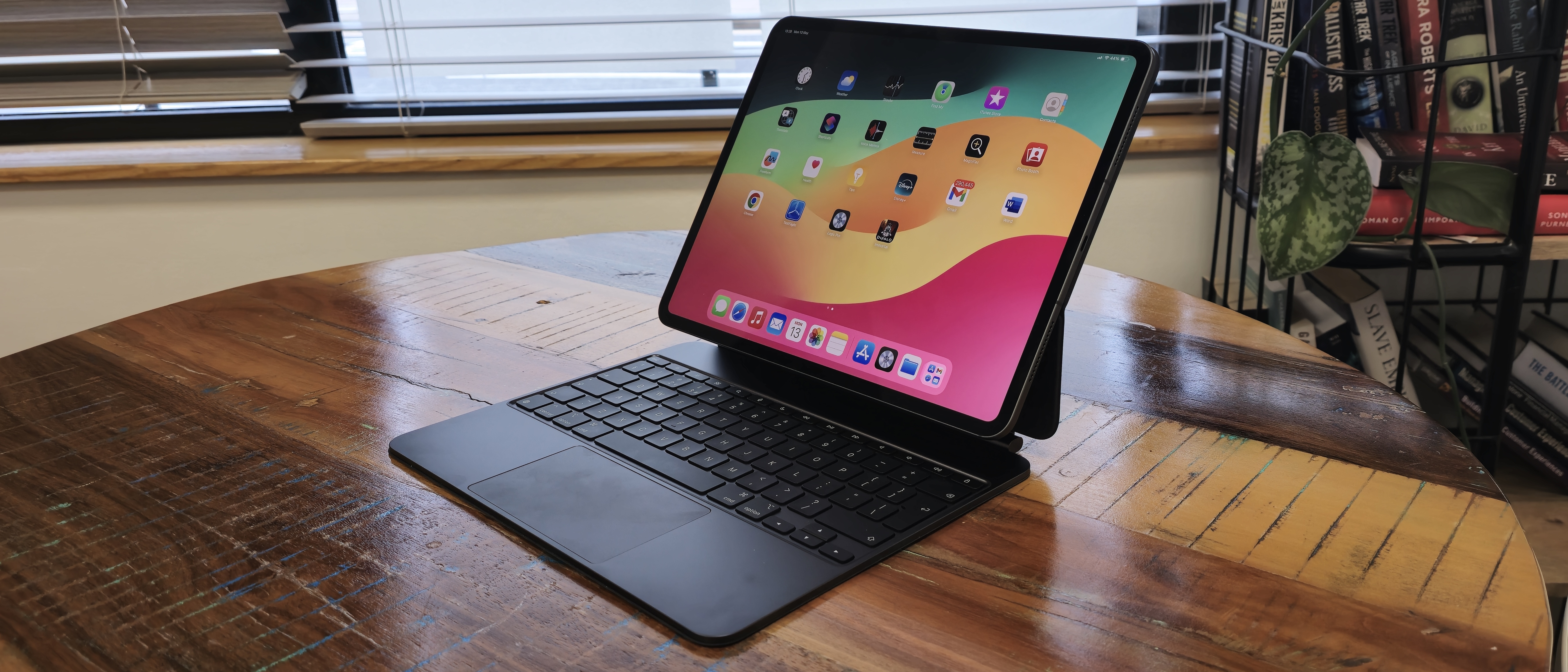
The iPad Air 13 supports various keyboards and cases. The Magic Keyboard offers a laptop-like typing feel. It includes a trackpad and backlit keys. Many third-party keyboards also work through Bluetooth or Smart Connector. Cases range from slim covers to rugged protection. Some cases include built-in stands for easier viewing. Users can mix and match keyboards and cases for comfort and style.
Apple Pencil Features
The iPad Air 13 supports the second-generation Apple Pencil. It attaches magnetically for charging and storage. This pencil allows precise drawing, note-taking, and editing. It features pressure sensitivity and tilt detection. The Apple Pencil works seamlessly with creative and productivity apps. It enhances tasks like sketching, marking documents, and annotating PDFs. This accessory suits students, artists, and professionals alike.
Other Supported Accessories
Besides keyboards and the Apple Pencil, many other accessories work with the iPad Air 13. These include external storage devices via USB-C ports. USB hubs and adapters expand connectivity options. Headphones and earbuds connect through Bluetooth or the headphone jack. The iPad also supports external displays for presentations. Wireless chargers and power banks help keep the device powered on the go. These accessories add flexibility for various uses and environments.
Comparison With Other Ipads
The Apple iPad Air 13 (2024) stands out with its fresh design and updated features. Comparing it to other iPads helps understand its place in the lineup. Each model targets different users and needs. The iPad Air balances performance and portability well. Below is a clear comparison with key iPads.
Versus Ipad Pro
The iPad Pro offers a more powerful chip and better graphics. It has a higher refresh rate screen and more camera options. The iPad Air 13 has a slightly smaller display but still sharp and bright. Pro models support the Thunderbolt port, which Air does not. iPad Pro suits creatives who need top speed and extra features. The Air fits users who want strong performance without the Pro price.
Versus Ipad Mini
iPad Mini is the smallest with a compact 8.3-inch screen. The Air 13’s larger 13-inch display gives more space for work and media. Mini is easy to hold in one hand and very portable. Air offers better multitasking with its bigger screen. Both use powerful chips, but Air’s size is better for detailed tasks. Mini is great for quick browsing and reading on the go.
Versus Standard Ipad
The standard iPad is the most affordable and widely used model. It has a slower chip compared to the Air 13. The Air features a larger, higher resolution screen with more vibrant colors. Standard iPad uses a Lightning connector, while Air uses USB-C for faster data transfer. Air feels lighter and thinner, making it easier to carry. Choose the standard iPad for basic use and Air for better performance.

Credit: kohlercatering.com
Price And Value
The Apple iPad Air 13 (2024) offers a blend of premium features at a price that aims to satisfy a wide range of users. Understanding its pricing and value helps you decide if it fits your needs and budget.
This section breaks down the pricing tiers, assesses value for money, and suggests who benefits most from this tablet.
Pricing Tiers
The iPad Air 13 comes in several models, each with different storage options. The base model starts at a competitive price, suitable for everyday tasks. Higher tiers offer more storage and cellular connectivity. These cost more but provide extra flexibility for users who need it. Prices vary by region and retailer, so checking local listings is a good idea.
Value For Money
This iPad balances performance and price well. It has a large, clear display and a fast processor that handles apps smoothly. Battery life supports long use without frequent charging. The build quality matches Apple’s reputation for durability. Compared to other tablets in its class, it offers solid features without a premium price tag. This makes it a smart choice for many buyers.
Who Should Buy
The iPad Air 13 fits students, creative professionals, and casual users alike. It works well for note-taking, drawing, and media consumption. Those who want a powerful yet portable device will appreciate it. If you need a tablet for work or school with enough power for multitasking, this is a good pick. Users who want the latest tech at a fair price should consider this model.

Credit: www.theverge.com
Conclusion
The Apple iPad Air 13 (2024) offers a solid mix of power and style. Its screen is bright and clear, perfect for movies and work. The device runs smoothly with apps and multitasks well. Battery life lasts through most daily tasks without trouble.
This iPad suits students, professionals, and casual users alike. It balances performance and portability in a sleek design. A reliable choice for anyone needing a versatile tablet. Overall, it delivers good value for its price point.
Trending Products